
YOUR DASHBOARD
YOUR FOX RIVER
Our App Just Got More Personal
Same Fox River App. New Peronal Dashboard bringing you info that’s relevant to you.
Download the
Fox River App
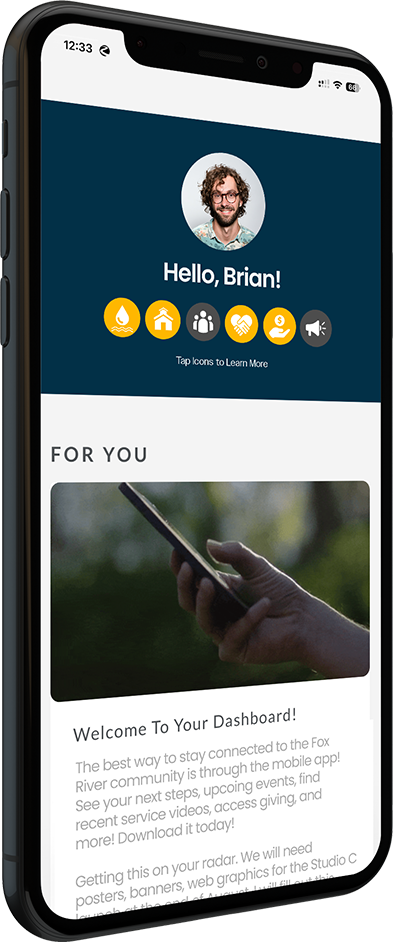
MEET Your Dashboard
Customized, relevant updates including:
- Your Next Steps of faith
- Personalized content For You
- News & Events for everyone
- Important Quick Links
- And much more


What’s Your Next Step?
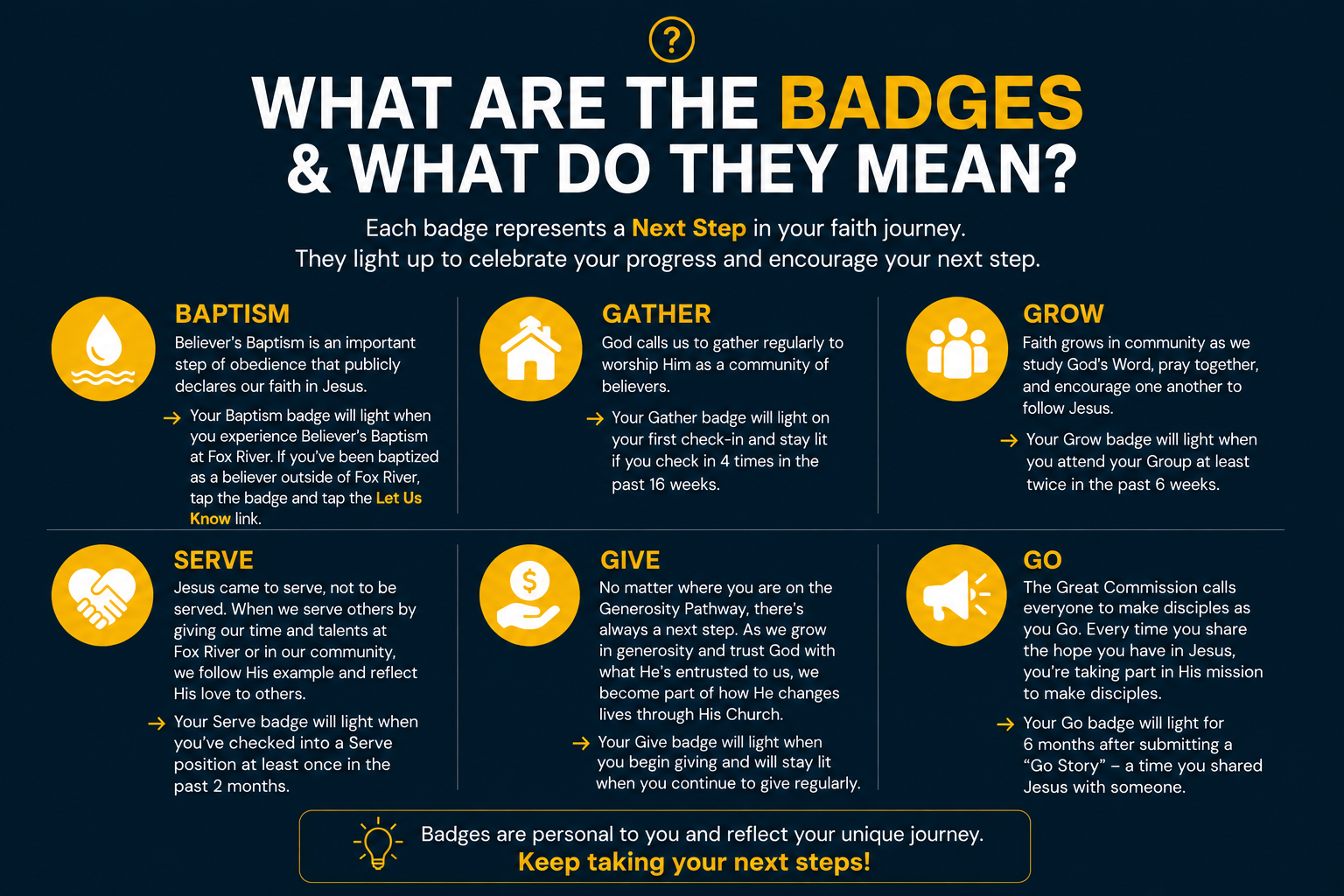
Baptism Gather Grow Serve Give Go
Everyone has a Next Step in their faith journey.
Dashboard Badges help you track your steps.
Frequently Asked Questions
Got questions? We’ve got answers! If you can’t find your answer here, please submit a Dashboard Question below.
FAQ
How do I see my Dashboard?
Follow these three steps to see your Personal Dashboard:
- Install / Open the Fox River App. If you already have it installed, just open and refresh!
- On the Dashboard tab at the bottom left, tap the View My Dashboard button and enter your phone or email. If your info is recognized, enter the code you receive and you’re done!
- If your info isn’t recognized, you’ll need to create a New Profile. After completing the form, please check back in 1-2 days to access your Dashboard.
How do I add a Profile Photo?
Tap the Edit Profile button in the My Information section. Enter your information and add a Profile Photo. For best results, crop the photo to a square before uploading.
How do I edit my information (address, phone, etc)?
Tap the Edit Profile button in the My Information section of the Dashboard. Fill out the form with only the required info and anything that needs to be updated or corrected.
Why are there other names under my information?
The My Information section lists other members of your household, according to the information in the Fox River database.
If your household members are incorrect, tap the Edit Profile button and fill out the form to add/remove members from your household.
Note: If you check-in kids not in your household, such as your kids’ friends, you will want to keep them connected to your profile.
Why isn't my Baptism badge lit?
Your Baptism badge will light when you are baptized at Fox River or share your Believer’s Baptism story.
If you’ve already made the choice to be baptized as a believer and your Baptism icon isn’t lit, please let us know about your Baptism.
Why isn't my Gather badge lit?
Your Gather badge lights when you first check in at Weekend Services, and stays lit when you check in at least 4 times in the past 16 weeks.
You can check in by opening your Dashboard during Weekend Services and checking in, or by checking in your kids into a Fox Kids classroom.
Why isn't my Grow badge lit?
Your Grow badge lights when you are a member of a Group and have attended at least twice in the past six weeks.
If you’ve been attending and your Grow icon isn’t lit, please talk to your Group Leader about attendance, or submit a Dashboard Question below.
Why isn't my Serve badge lit?
Your Serve badge lights when you serve on our Dream Team and have checked into a Serve position in the past 2 months.
If you are serving without checking in, your Serve badge will not light. Please speak to your Dream Team Leader about checking in to your Dream Team role.
If you still have questions about your serving, please submit a Dashboard Question below.
Why isn't my Give badge lit?
Your Give badge lights when you begin giving and will stay lit when you give regularly.
If you give infrequently, your Give icon may darken between instances of financial giving.
If you have given financially recently and your Give badge is unlit, there may be a problem with your profile. Please submit a Dashboard Question and we will correct the issue quickly.
Why isn't my Go badge lit?
Your Go badge lights for 6 months after submitting a “Go Story” – a time you shared Jesus with someone.
Did you share your faith with someone? Tell us about it by submitting a Go Story!
What is a Go Story?
Jesus calls every believer to share the hope of the Gospel and make disciples. Ask God to open your eyes to the people around you and give you the courage to share the message of Jesus. When you do share Jesus with someone, share your Go Story!
This could be as simple talking to your neighbor about what Jesus has done in your life, starting a conversation about faith with a co-worker, or sharing your faith with a family member. These are all ways of making disciples as you go!
Submitting your Go Story doesn’t make the conversation itself any more significant. It does remind you to pray for that person, and lets us know about it to light your Go badge!
Submit a Dashboard Question
Still have questions? We’re happy to help! Submit a Dashboard Question to get the answers you need.